How to use SOYAL Message Database for Integration?
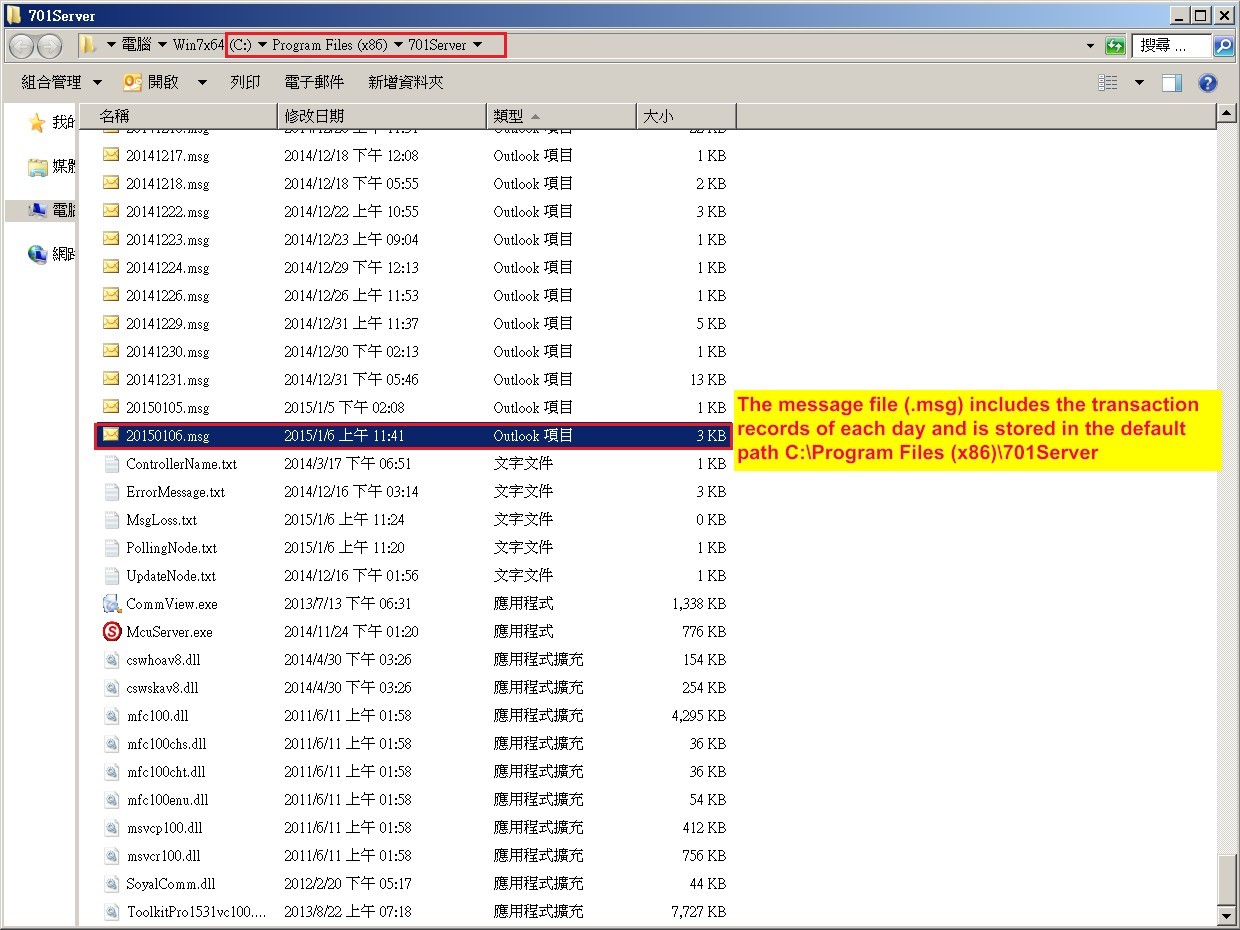
Here we list an example of one message in 20150106.msg file:
1. Regarding to SOYAL Message File Structure (get the file from SOYAL), the capacity of each message is fixed for 100 Bytes.
In 701Client, you can see the Index 20 message as below:

2. When you open 20150106.msg file by Hex Editor Neo software (you can use any tools that support to open Hex format data), you will see all transaction message and also system message in Hex Code Format, Here we use Index20 messages for example
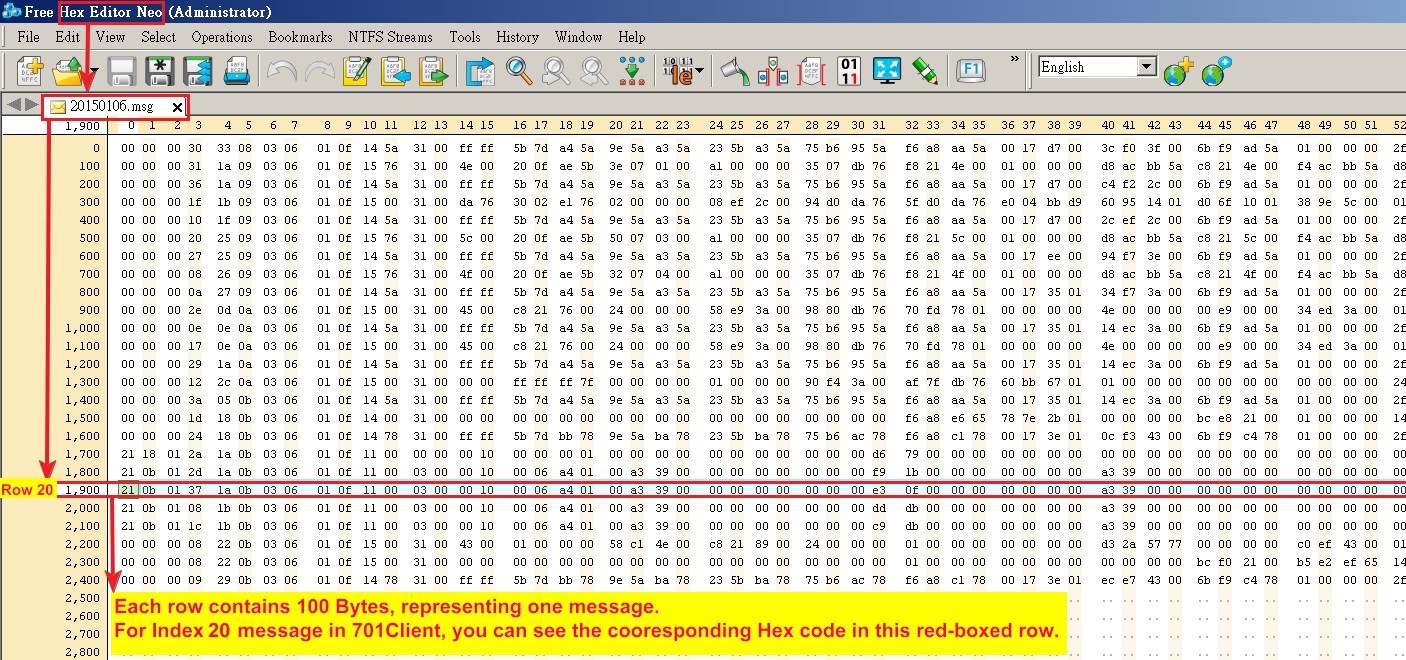
- The original Hex code of Index 20 message:
“21 0b 01 37 1a 0b 03 06 01 0f 11 00 03 00 00 10 00 06 a4 01 00 a3 39 00 00 00 00 00 00 00 00 e3 0f 00 00 00 00 00 00 00 a3 39 00 00 00 00 00 00 00 00 00 00 00 00 00 00 00 00 00 00 00 00 00 00 00 00 00 00 00 00 00 00 00 00 00 00 00 00 00 38 1a 0b 03 06 01 0f 00 00 00 00 00 00 00 00 00 00 01 64 01 00”
And The corresponding result of Index 20 message is shown in the Message File Structure example.pdf
You can see how to transfer the message into the format you are familiar with.
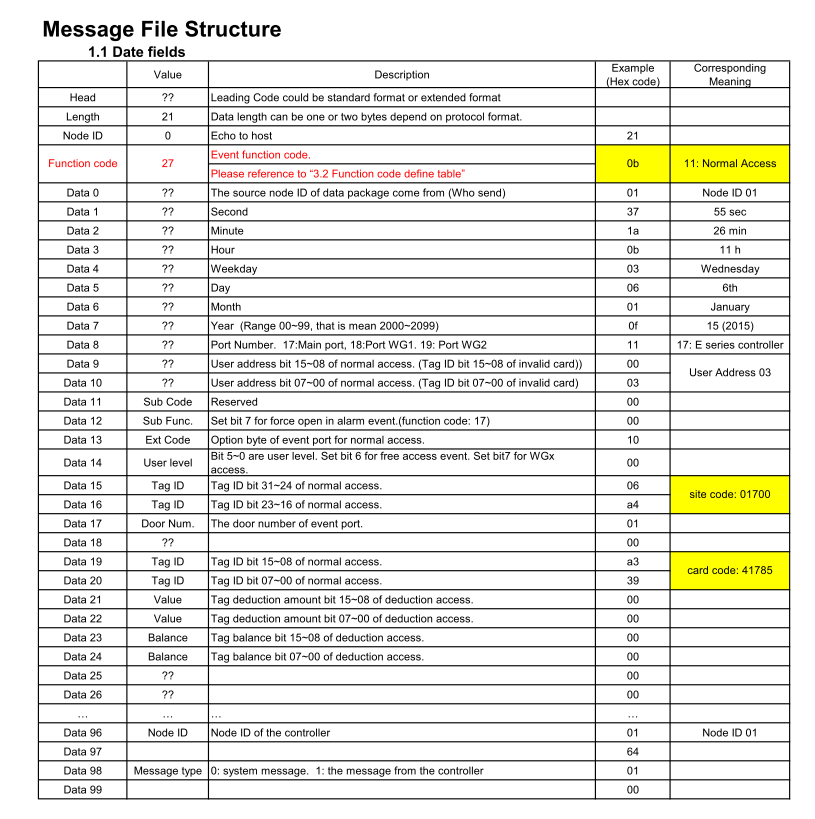
For the 2nd integration demand, the integrator can pick up some useful information according to above message structure (Eg: User Address/ Card ID /PIN etc ) NUUO have used the same way of Accessing SOYAL message data to integrate SOYAL into their CCTV software